SMS program verification
Text message consent, clearly shown.
This page documents every DateSafe opt-in path for app-user reminders, trusted-contact invitations, and user-initiated safety messages.
This safety messaging program sends no promotional or marketing texts. Messages are limited to safety communications initiated by a user. Sign-in codes are delivered separately through Twilio Verify.
Every opt-in path
Permission is separate, optional, and recorded only after an explicit action.
Path 1
Backup reminders to the app user
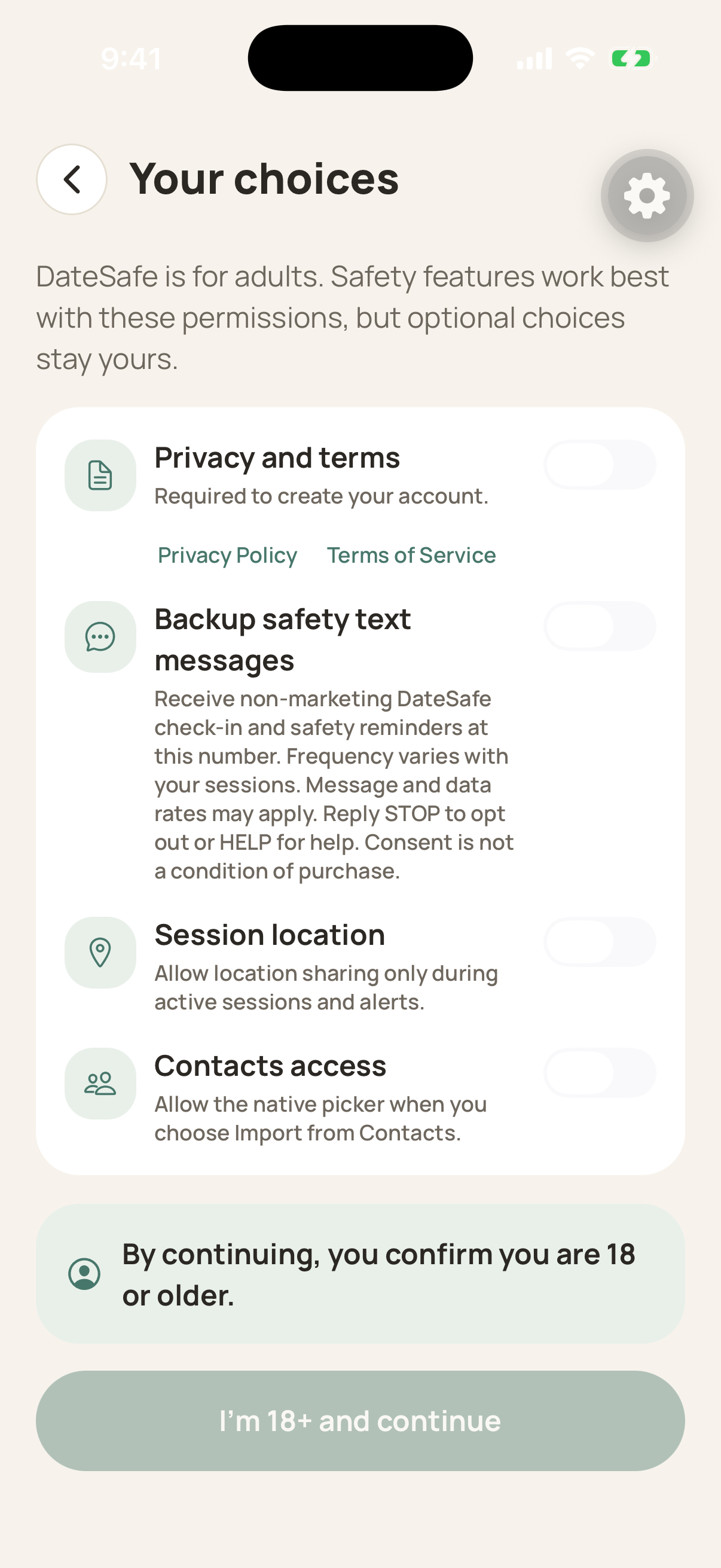
During onboarding, the authenticated DateSafe user sees a separate Backup safety text messages switch. It is off by default, and the user can continue without enabling it. Beside the switch, DateSafe identifies the non-marketing check-in and safety reminders, variable frequency, possible message and data rates, STOP and HELP controls, and that consent is not a condition of purchase. DateSafe records the choice only when the user continues, and direct-to-user backup texts are queued only when that recorded choice is on.
Path 2
Trusted-contact messages
A one-time invitation requires permission first. Ongoing safety messages require a separate acceptance.
The sender asks first
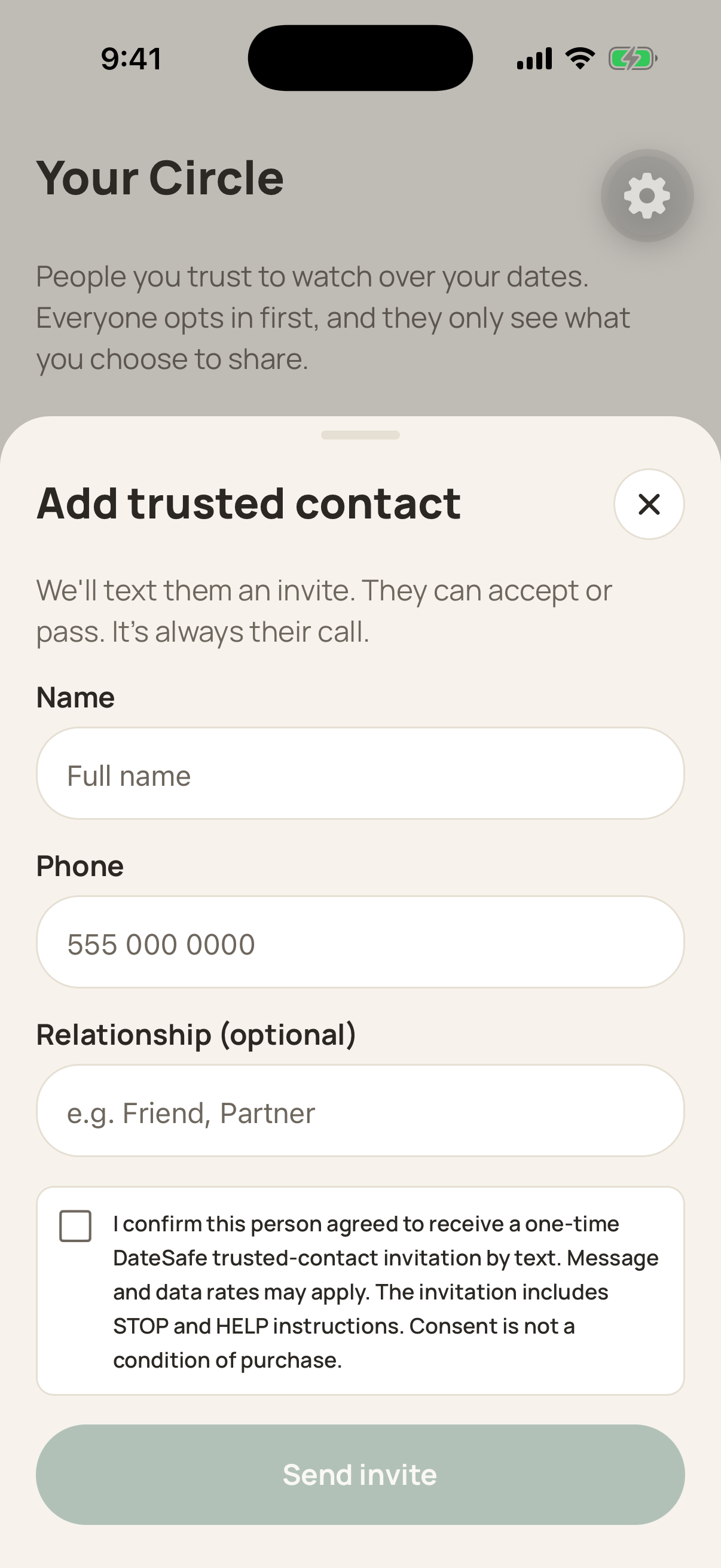
Before entering the number, the DateSafe user asks the intended contact: "May DateSafe send you one text inviting you to my trusted safety circle? Message and data rates may apply. You can reply STOP to opt out or HELP for help." The user then selects an unchecked checkbox confirming that permission; Send invite stays disabled until it is selected.
DateSafe sends one invitation
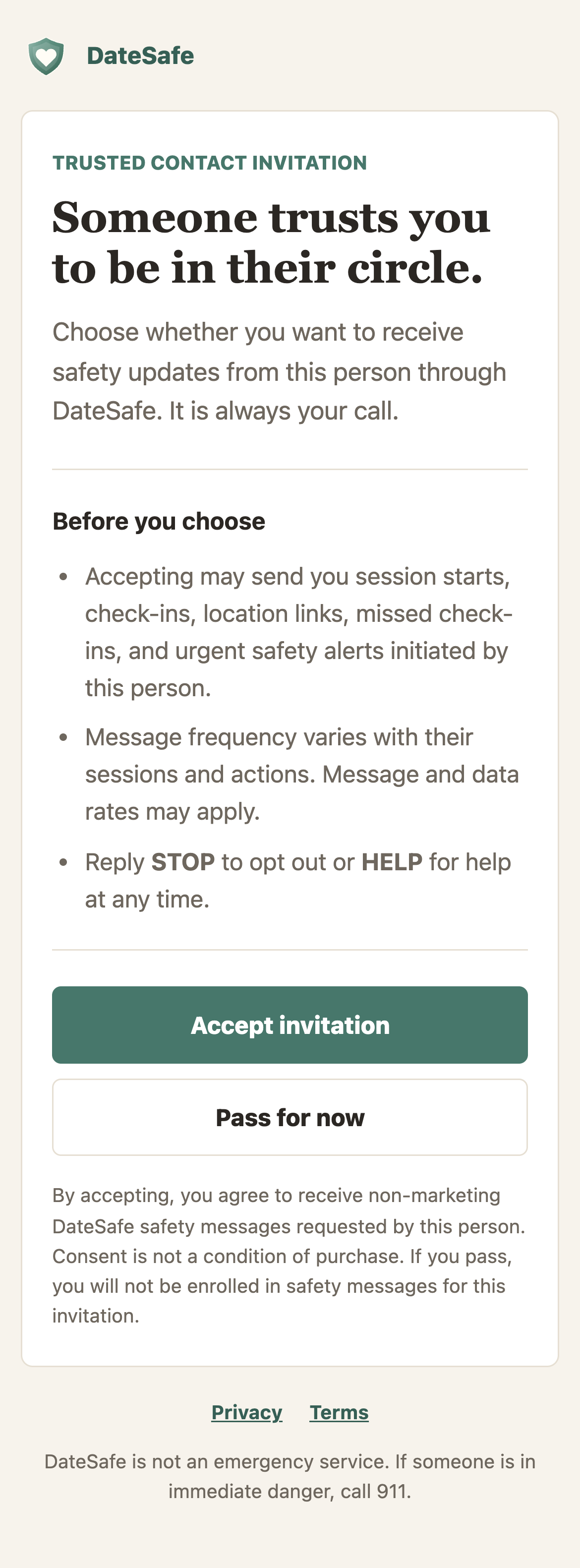
The invitation identifies DateSafe, explains that someone invited the recipient to a safety circle, links to an Accept-or-Pass page, and includes STOP and HELP instructions.
The recipient chooses
Opening the private link does not opt anyone in. The recipient must explicitly choose Accept invitation or Pass for now. Link previews cannot accept automatically because only a form submission records the choice.
Safety updates start only after acceptance
Accepted contacts may receive user-initiated session starts, check-ins, location links, missed check-ins, and urgent alerts. Passing enrolls the recipient in nothing.
What the message program includes
Message frequency varies with each DateSafe user's sessions and safety actions. Message and data rates may apply.
- App-user backup reminders
- Optional check-in and safety reminders sent only after the DateSafe user enables the separate SMS control.
- Trusted-contact invitation
- One message after the intended contact gives the DateSafe user permission to send it.
- Session and check-in updates
- Sent only for sessions started by the DateSafe user and only to accepted contacts.
- Safety-plan, location, and live-watch links
- Shared only with accepted contacts when the user enables the relevant safety feature.
- Missed check-ins and urgent alerts
- Triggered by the user's safety-session status or an emergency action.
Control stays with the recipient
Reply STOP to opt out, START to opt back in, or HELP for help. Consent is not a condition of purchase. A recipient can pass on an invitation without joining a circle.
Consent data stays private
Mobile information and SMS consent records are not sold or shared with third parties or affiliates for marketing or promotional purposes.